
Lorem ipsum dolor sit amet, consectetur adipiscing elit. Suspendisse varius enim in eros elementum tristique. Duis cursus, mi quis viverra ornare, eros dolor interdum nulla, ut commodo diam libero vitae erat. Aenean faucibus nibh et justo cursus id rutrum lorem imperdiet. Nunc ut sem vitae risus tristique posuere.
The rich text element allows you to create and format headings, paragraphs, blockquotes, images, and video all in one place instead of having to add and format them individually. Just double-click and easily create content. The rich text element allows you to create and format headings, paragraphs, blockquotes, images, and video all in one place instead of having to add and format them individually. Just double-click and easily create content. The rich text element allows you to create and format headings, paragraphs, blockquotes, images, and video all in one place instead of having to add and format them individually. Just double-click and easily create content.
The rich text element allows you to create and format headings, paragraphs, blockquotes, images, and video all in one place instead of having to add and format them individually. Just double-click and easily create content. The rich text element allows you to create and format headings, paragraphs, blockquotes, images, and video all in one place instead of having to add and format them individually. Just double-click and easily create content. The rich text element allows you to create and format headings, paragraphs, blockquotes, images, and video all in one place instead of having to add and format them individually. Just double-click and easily create content.
A rich text element can be used with static or dynamic content. For static content, just drop it into any page and begin editing. For dynamic content, add a rich text field to any collection and then connect a rich text element to that field in the settings panel. Voila!
A rich text element can be used with static or dynamic content. For static content, just drop it into any page and begin editing. For dynamic content, add a rich text field to any collection and then connect a rich text element to that field in the settings panel. Voila!
A rich text element can be used with static or dynamic content. For static content, just drop it into any page and begin editing. For dynamic content, add a rich text field to any collection and then connect a rich text element to that field in the settings panel. Voila!
A rich text element can be used with static or dynamic content. For static content, just drop it into any page and begin editing. For dynamic content, add a rich text field to any collection and then connect a rich text element to that field in the settings panel. Voila!
A rich text element can be used with static or dynamic content. For static content, just drop it into any page and begin editing. For dynamic content, add a rich text field to any collection and then connect a rich text element to that field in the settings panel. Voila!
A rich text element can be used with static or dynamic content. For static content, just drop it into any page and begin editing. For dynamic content, add a rich text field to any collection and then connect a rich text element to that field in the settings panel. Voila!
Headings, paragraphs, blockquotes, figures, images, and figure captions can all be styled after a class is added to the rich text element using the "When inside of" nested selector system.
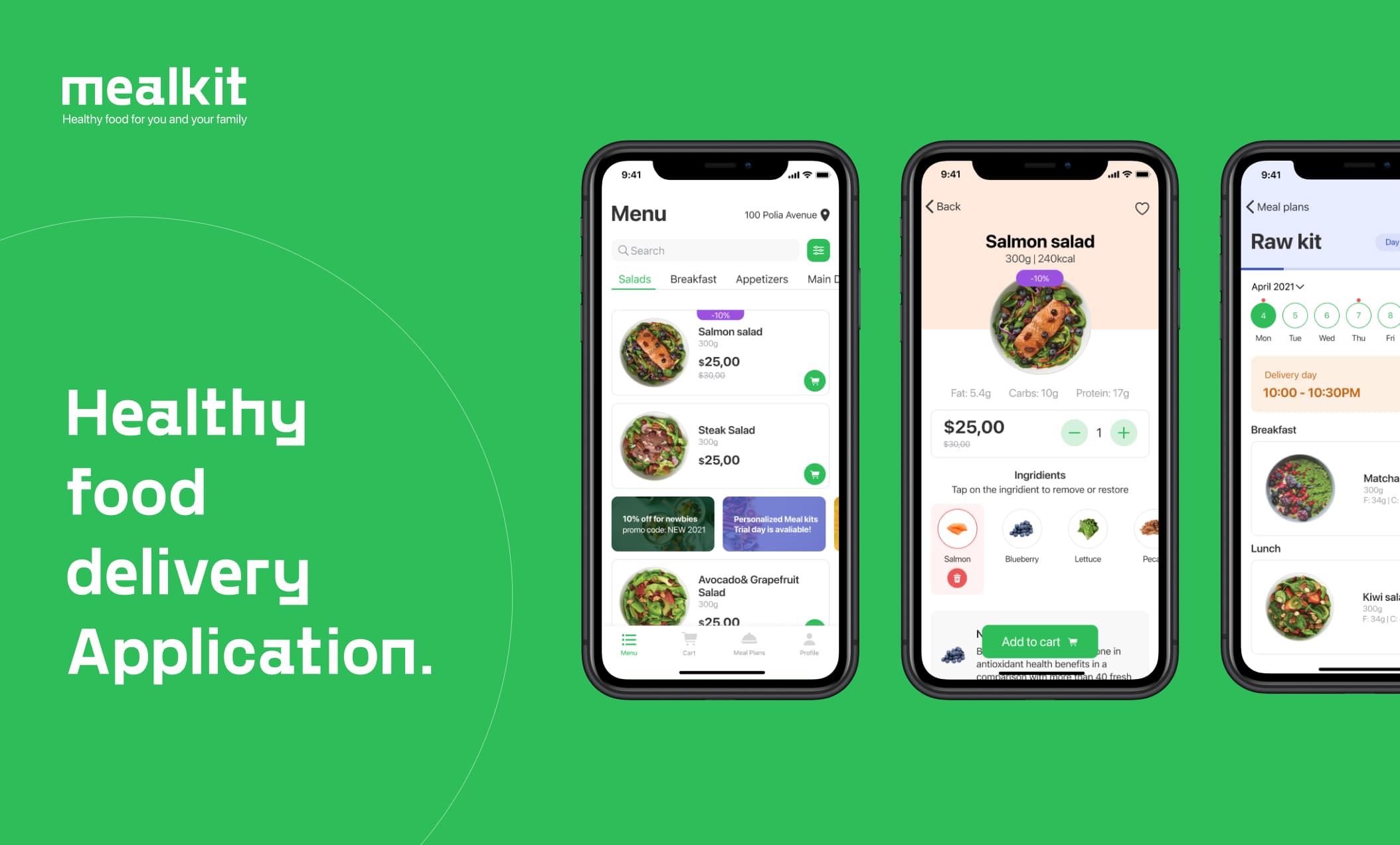
Mealkit App is aimed to solve the problem of high-quality food delivery availability for people with special nutritional needs: allergy sufferers, people with food intolerances, people on specialized diets (including those prescribed by a doctor, for example, autoimmune protocols, paleo diet, low FODMAP, GAPS, FMD, LCHF etc) and those who is very selective and attentive to the quality of food.
After deciding on the project concept, I went online to look for food delivery applications, how does this market look like at this time, what competitors do I have, what are their key and unique features, what are their failures. Bad reviews were took my major attention as that's where all pain point are located.
Here are some findings from user reviews:
• Inability to reschedule/edit/cancel an order
• No refund option
• No customer support
• Lacking advanced filtering
• Can't check order status
• Inability to reorder previous order
• Inability to add to wishlist for future orders
• Can't contact restaurant or a driver
• Inability to exclude/replace a dish from the meal plan
• Inconveniently large delivery intervals
• Can't check the current menu for the week
• Can't rate delivery or/and dish
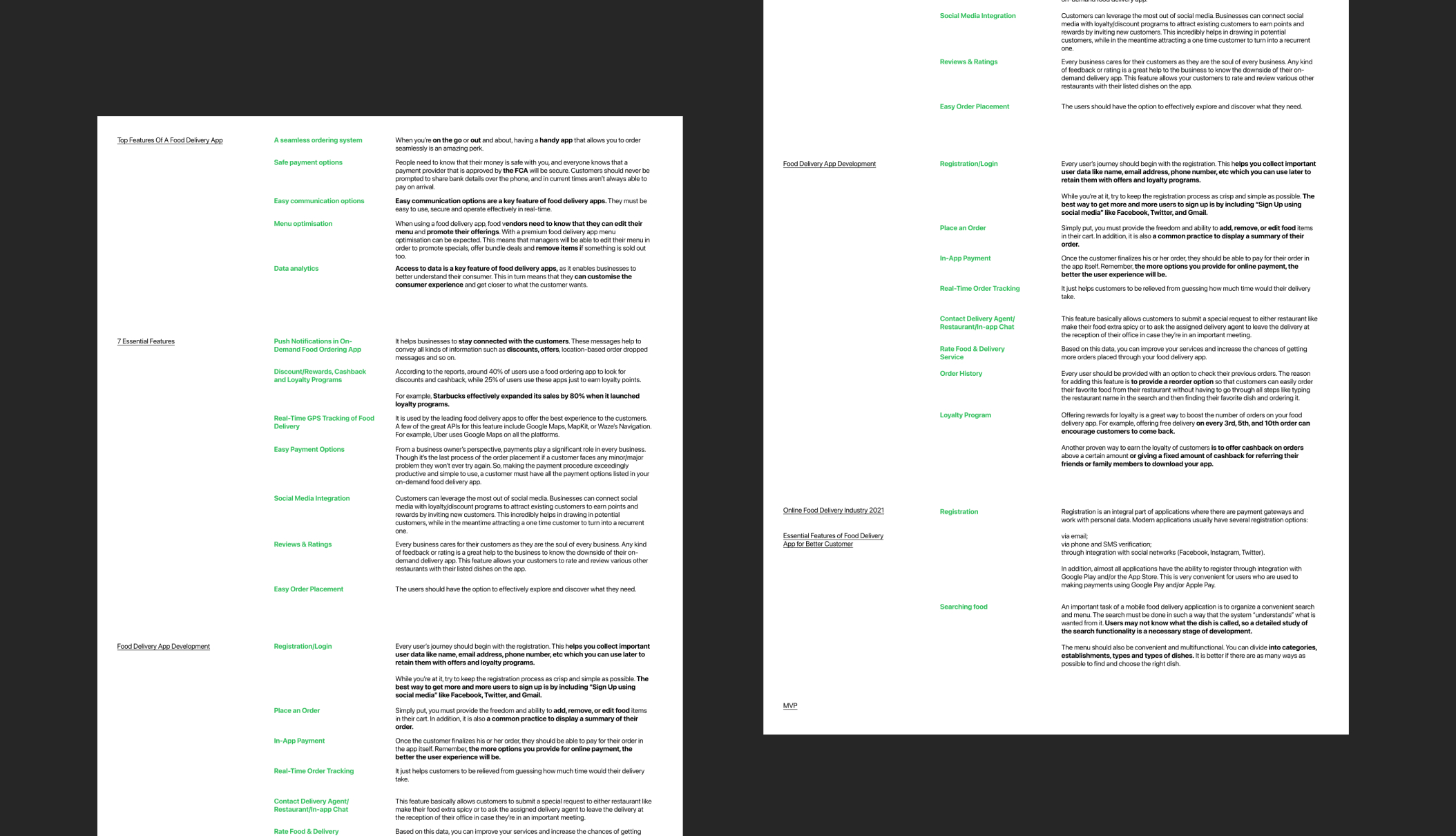
I also did research through articles on the analysis of basic and advanced features in such applications, made a selection of the most important of them with notes that will help keep focus on the main things in the design process:
• Registration/Login
• Searching and filtering food
• Order Placement
• In-App Payment
• Real-Time Order Tracking
• Communication options (in-App chats, calls)
• Reviews & Ratings
• Order History
• Loyalty Program
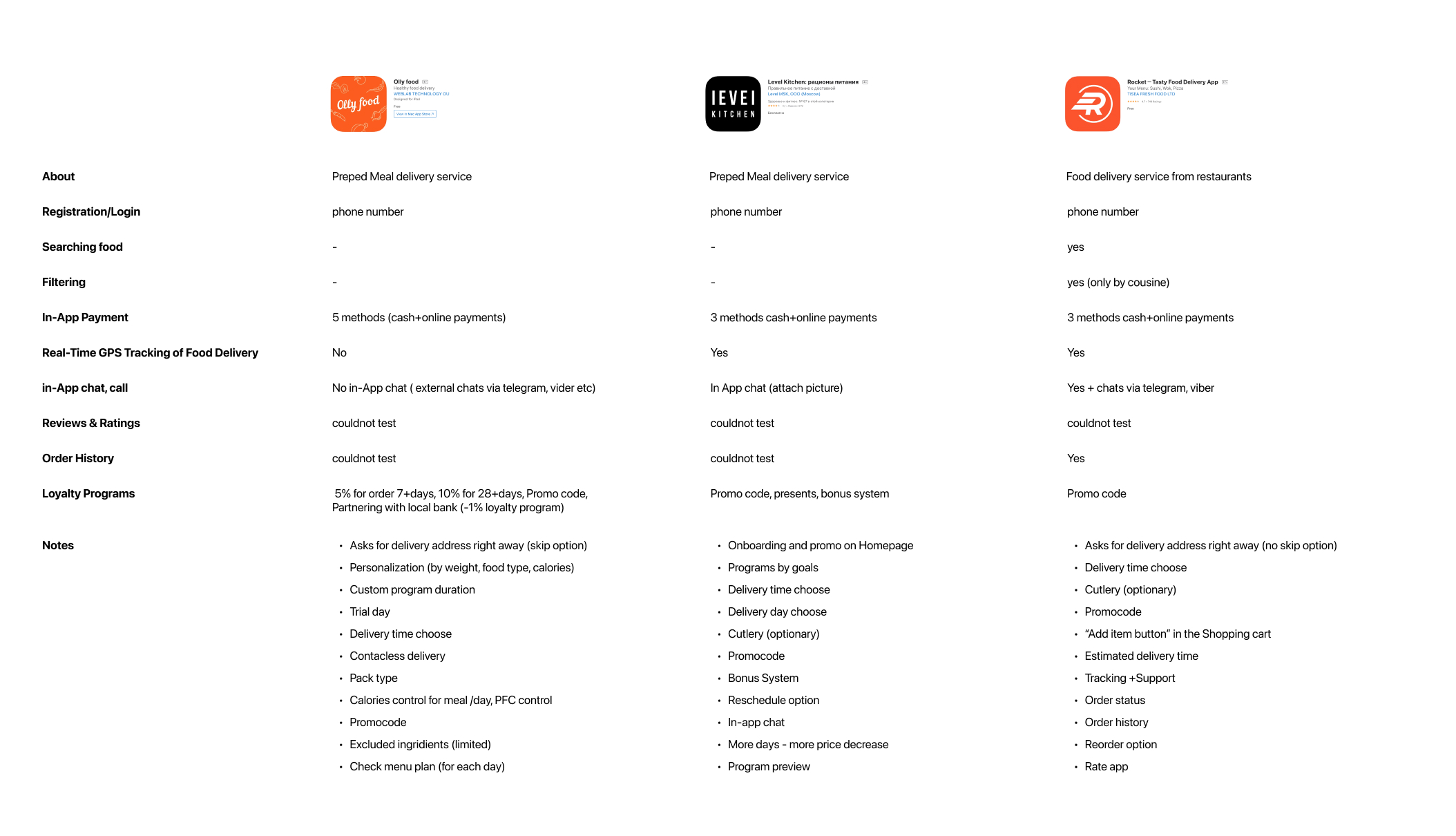
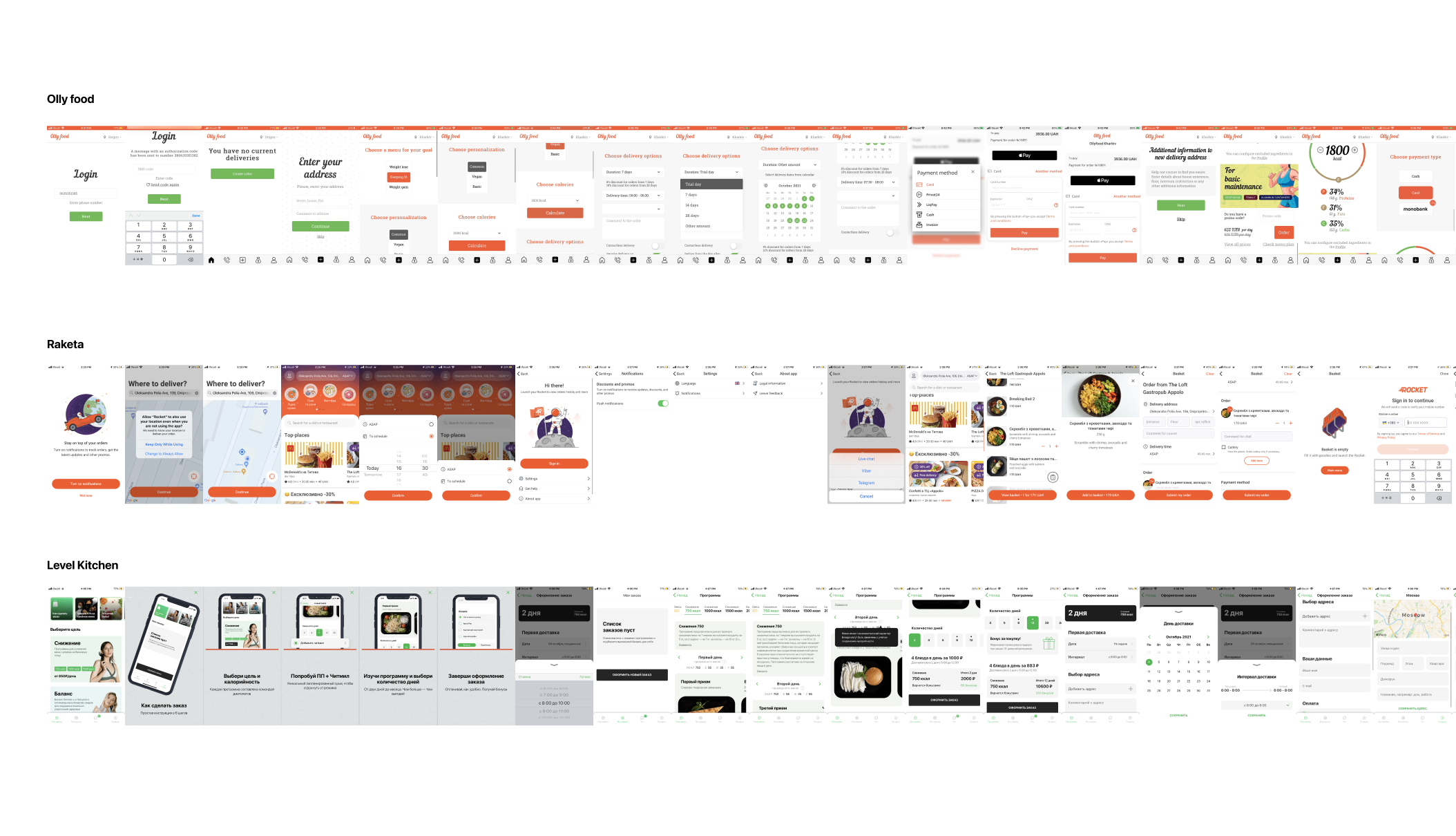
Based on my research I also discovered that most of the food delivery Apps are either allow you select dishes from restaurants that are listed in the application or you can just order only a food program (for a day or more) without the possibility of ordering a separate dish. And most of the food Apps don't pay enough attention to people with different food preferences (allergy sufferers, people with food intolerances, people on specialized diets etc). And this is what Mealkit App is all about - to make those people lives easier and more safe.
Here are the pain point of those people:
• can't find meal options in the menu
• can't find balanced meal programs
• can't see full list of ingredients
• can't remove/replace the ingredient from the dish during the order
• can't notify that he/she is allergic to smth
• not sure about the quality of the products
• don't have time to cook
Based on the research findings I proceed with AI to summarize my thoughts and ideas. At this phase I was figuring out the App structure, main tabs, main features, general logic.
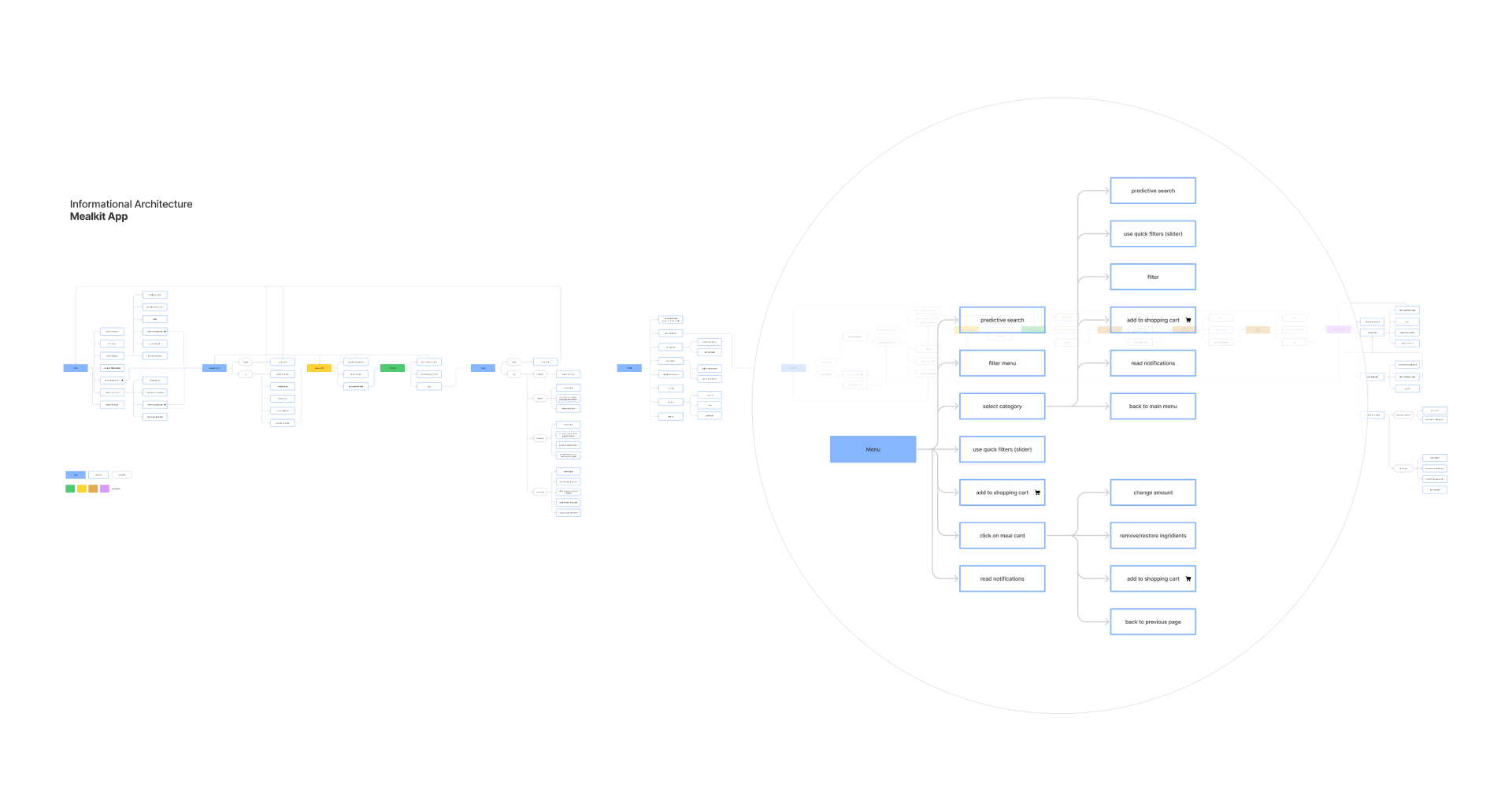
Having all the information I mentioned above, I started sketching to explore layouts ideas. It helped me think about the difficult moments, how can I optimize the user flow in the early stage and play with different options.
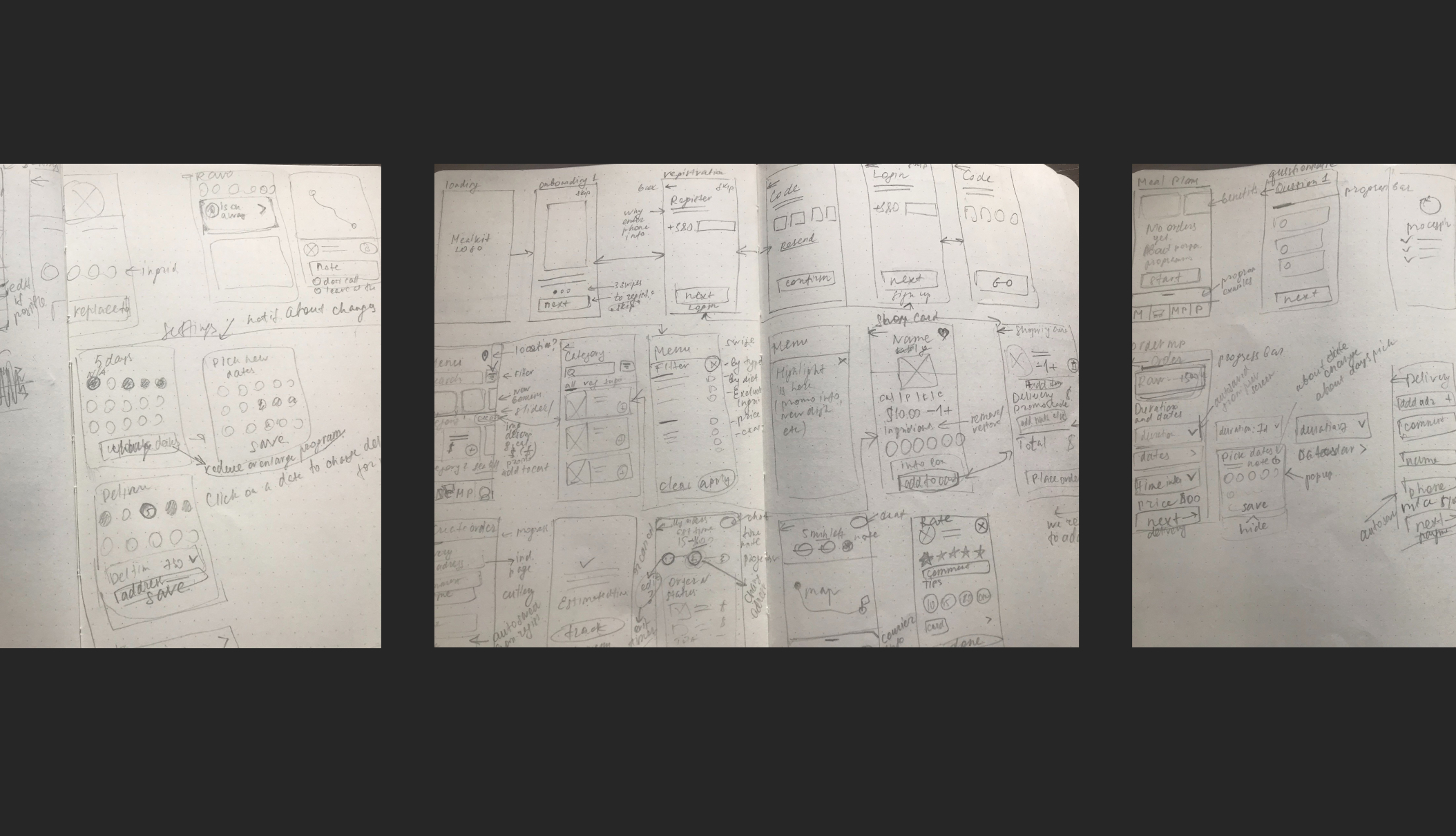
The sketching helped me a lot to prepare a base for high-fidelity prototypes. I also did some style exploration before getting into prototyping. The main goal from the visual perspective was to keep it clean and simple, but not too boring, so I decided to add some colors to balance it out.
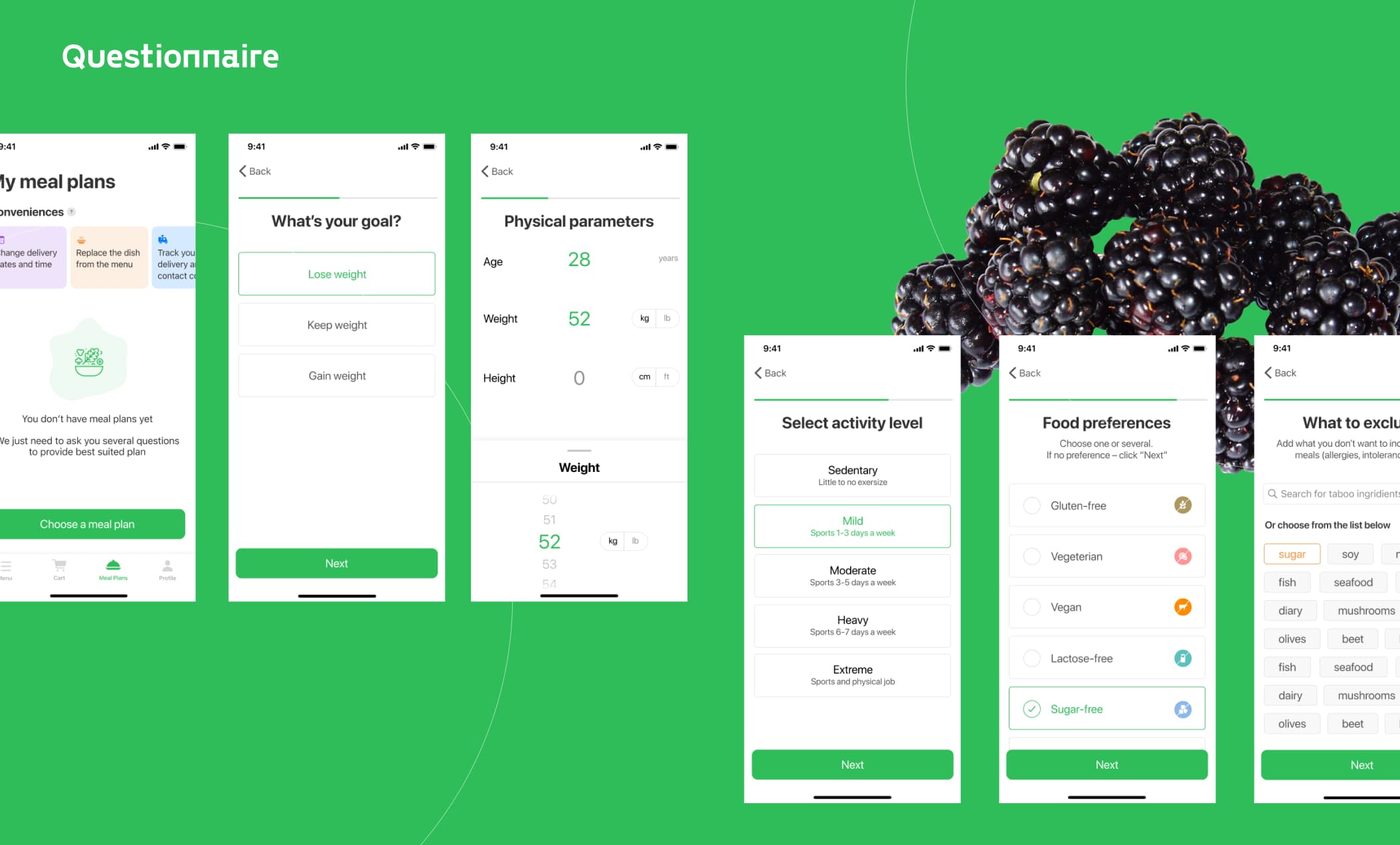
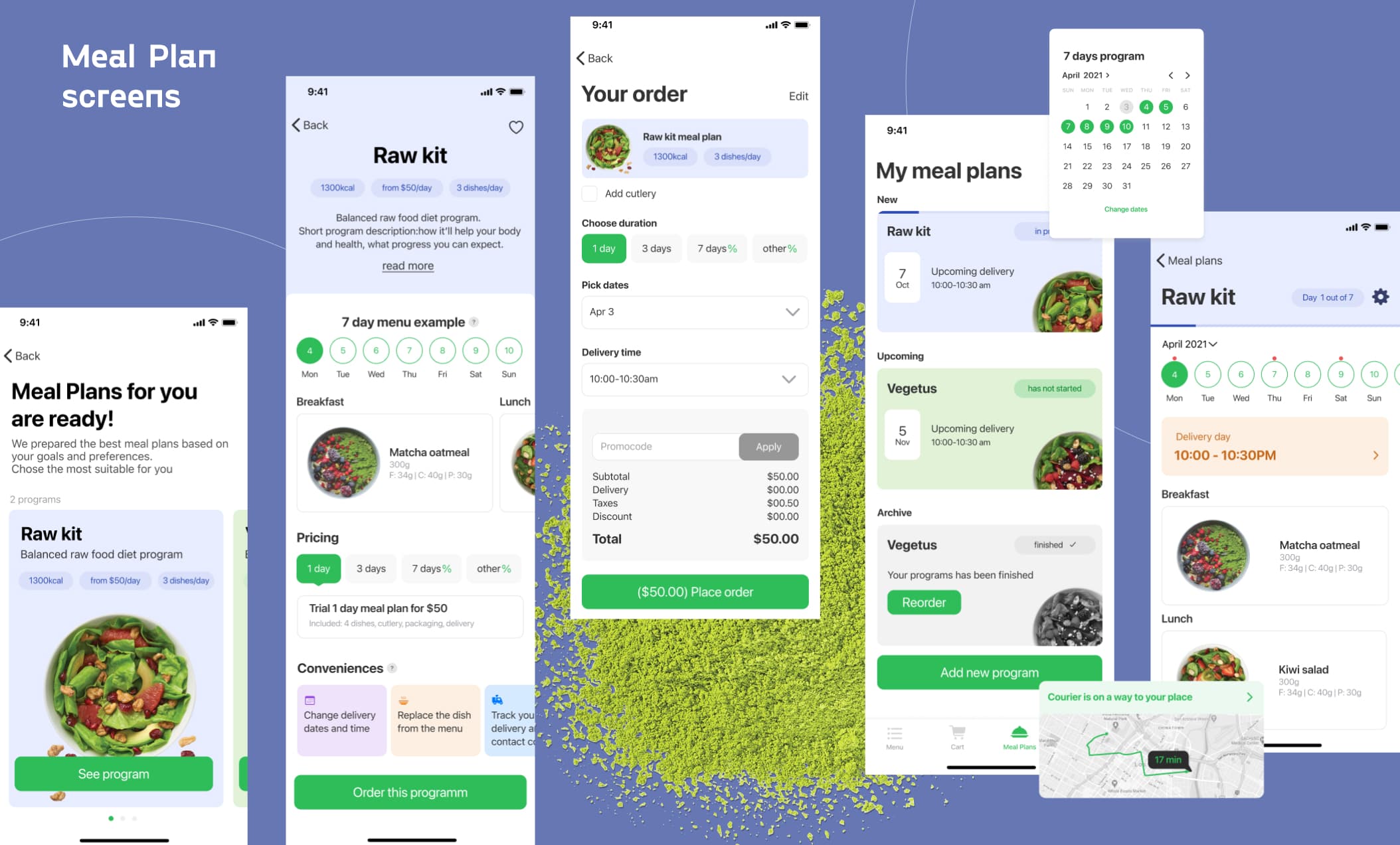
Below you can see main user flow screens: Checking the menu, searching, filtering, removing ingredient, creating, placing and tracking order; filling out the questionnaire, checking and ordering personalized meal programs.
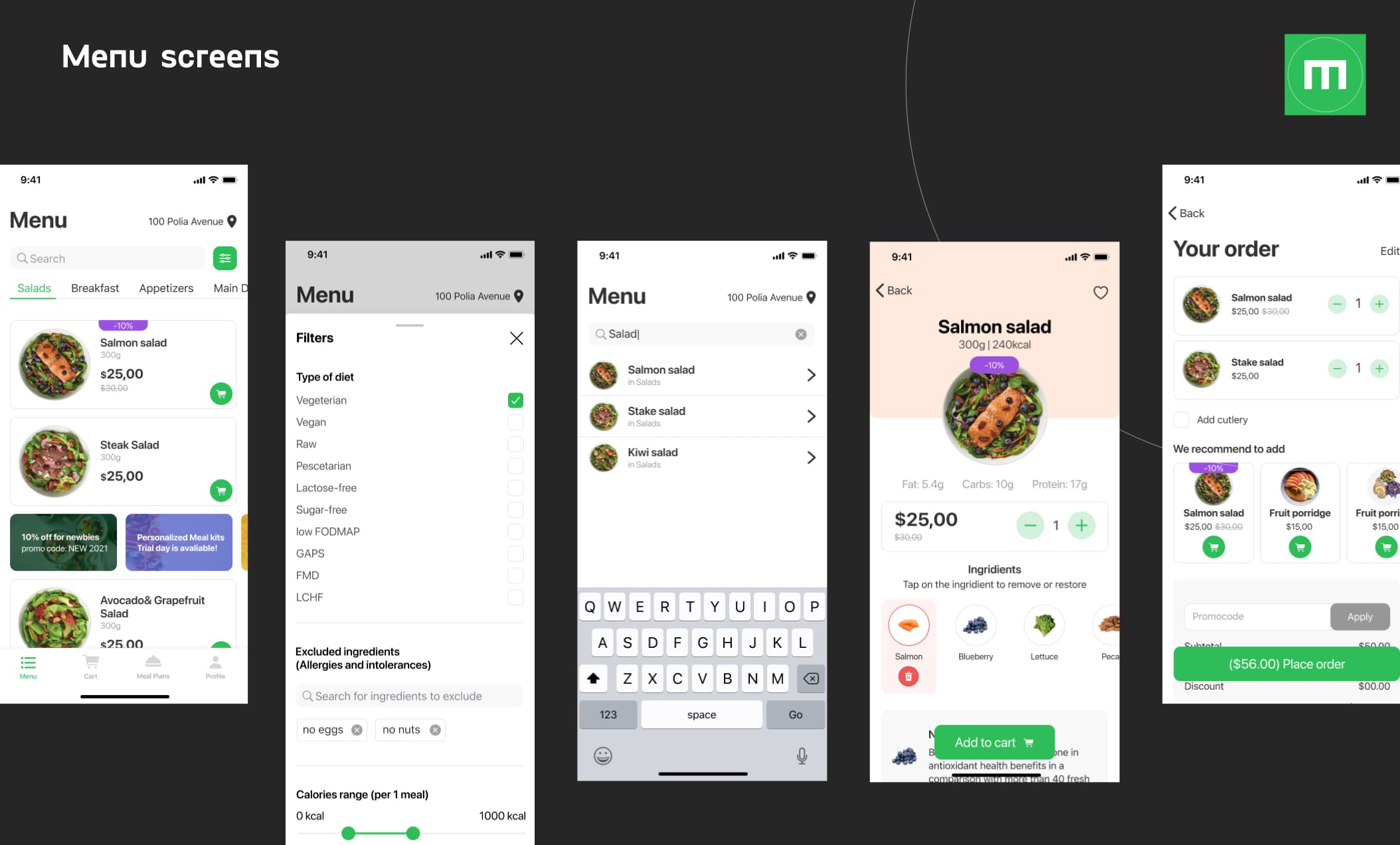
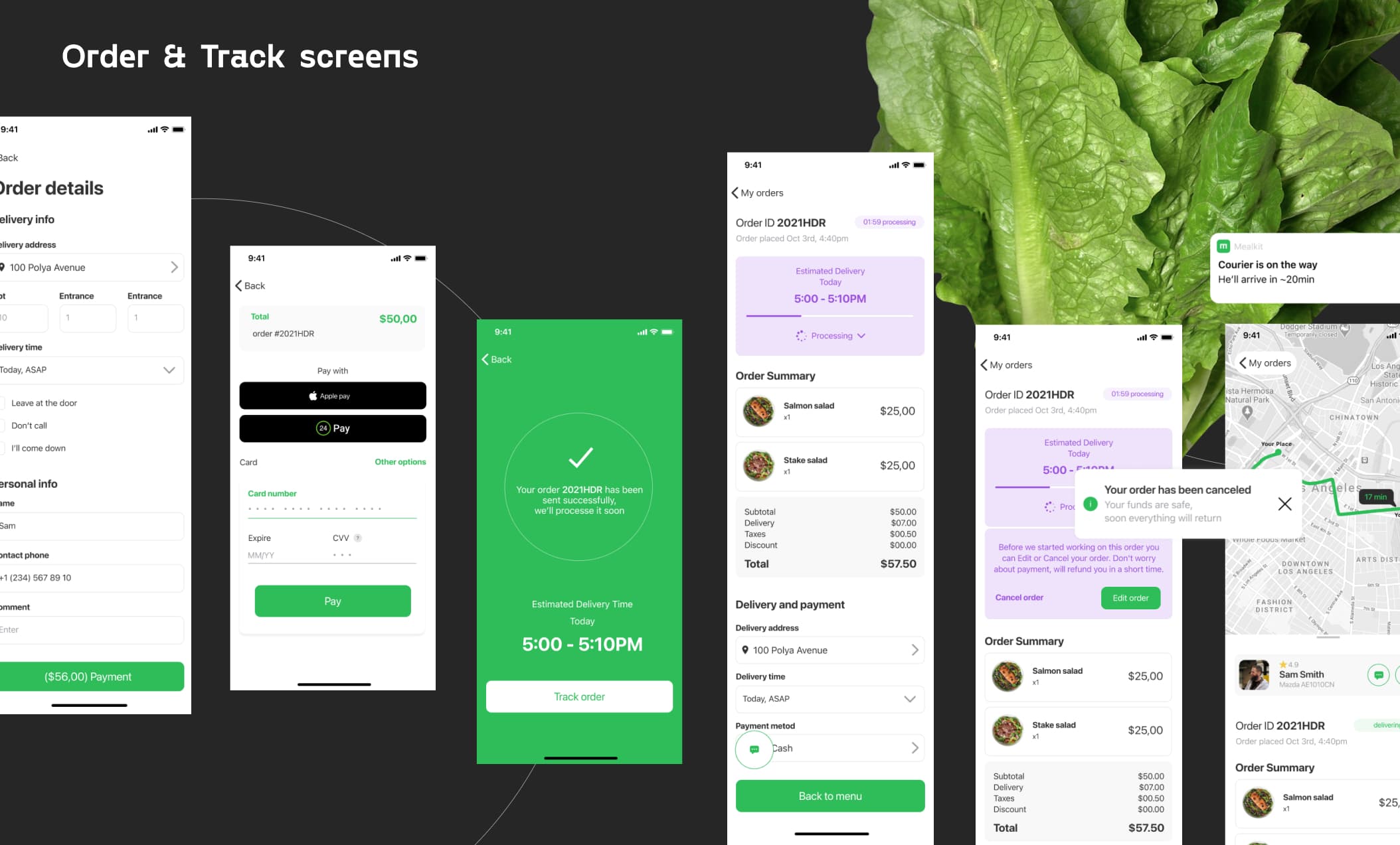
While working on this App I was aimed to solve end user's problems such as lack of user-friendly apps for ordering healthy meal and nutrition programs, which takes into account special types of nutrition, intolerances, allergies and was trying to cover the most common pain points that I mentioned in Research section.